 IT
 EN
 FR
 ES
 PT
Current, storage and historical archives
Organization of the different phases and types of archives of the Congregation.

Saulo · The features
Saulo's archive and memory functions, to be organized according to the needs and responsibilities of your Congregation.
Organization of the different phases and types of archives of the Congregation.
Insertion and search of documents through a classification structure, also adopting and customizing available holders, such as the CNEC one.
Description by author, title, date, subject, keywords, topic and location or signature.
Indexing of textual documents to search for content occurrences. Digital copies must contain searchable text for this type of consultation.
In addition to texts, storage of images, videos, audio, spreadsheets, presentations and other computer files.
Distinct areas, for example council, bursar or founder archive.
Remote access to documents by users who have the necessary privileges.
Working language chosen by the user and permissions regulated based on the role in the Congregation.
The program in practice
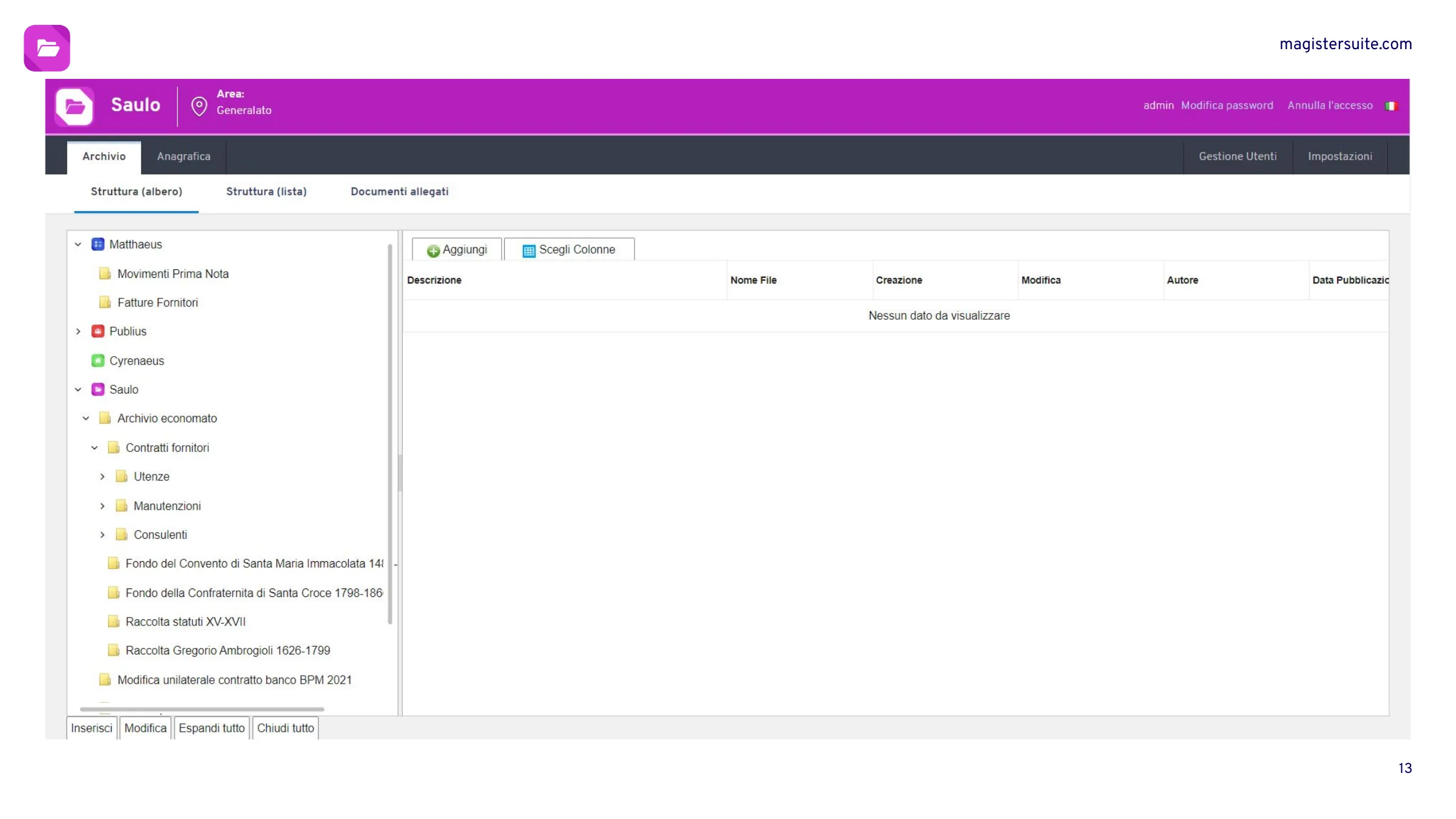
The ownership tree makes the different funds and related classification areas legible.
The program in practice
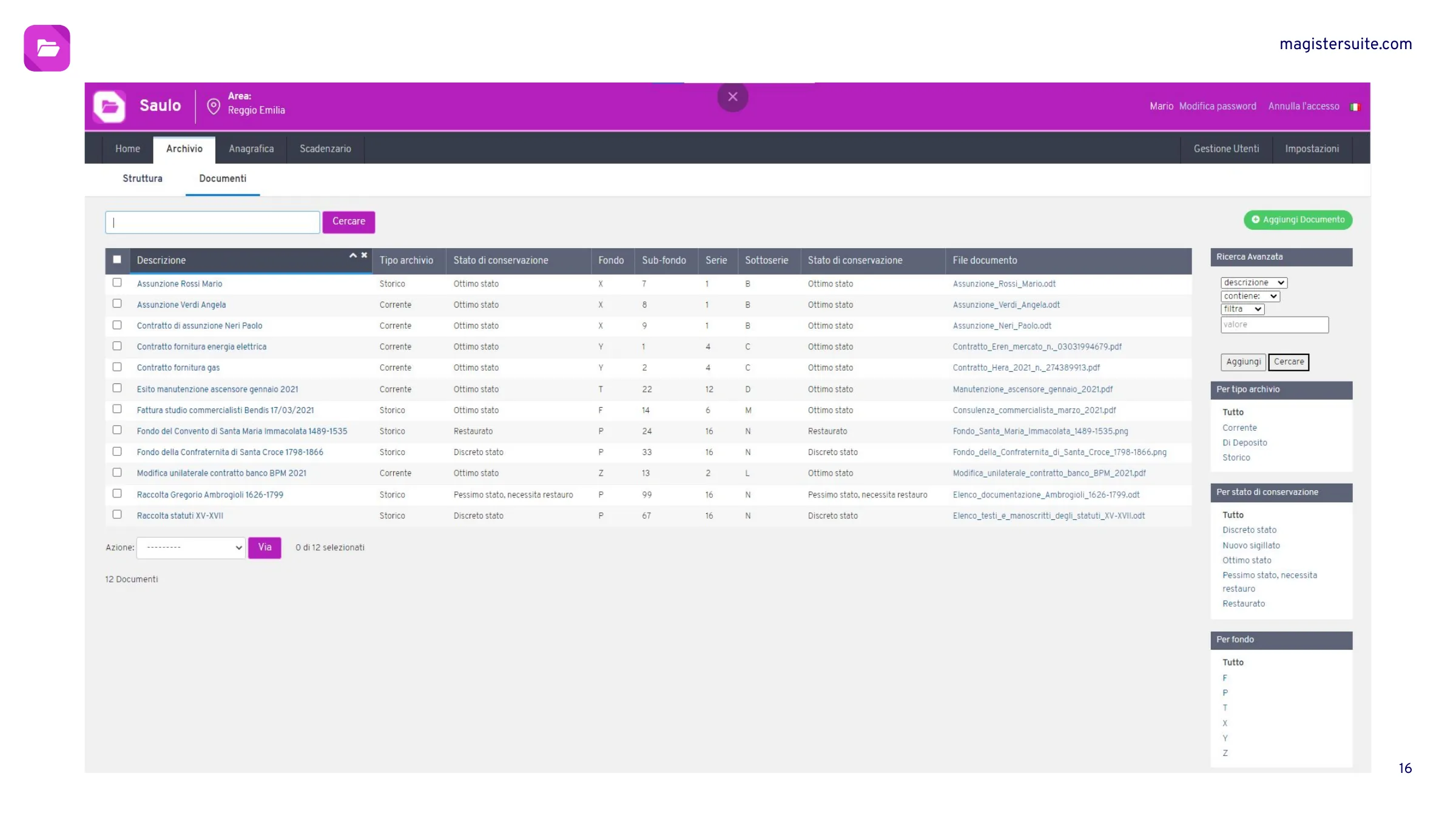
The document list presents descriptive information, filters and links to archived files.
Configuration and training
Together we evaluate needs, people to involve and the first useful step for your Congregation.
Let's talk about Saulo ↗